Getting Started with Reshine
From first boot to a finished antique — a calm onboarding path.
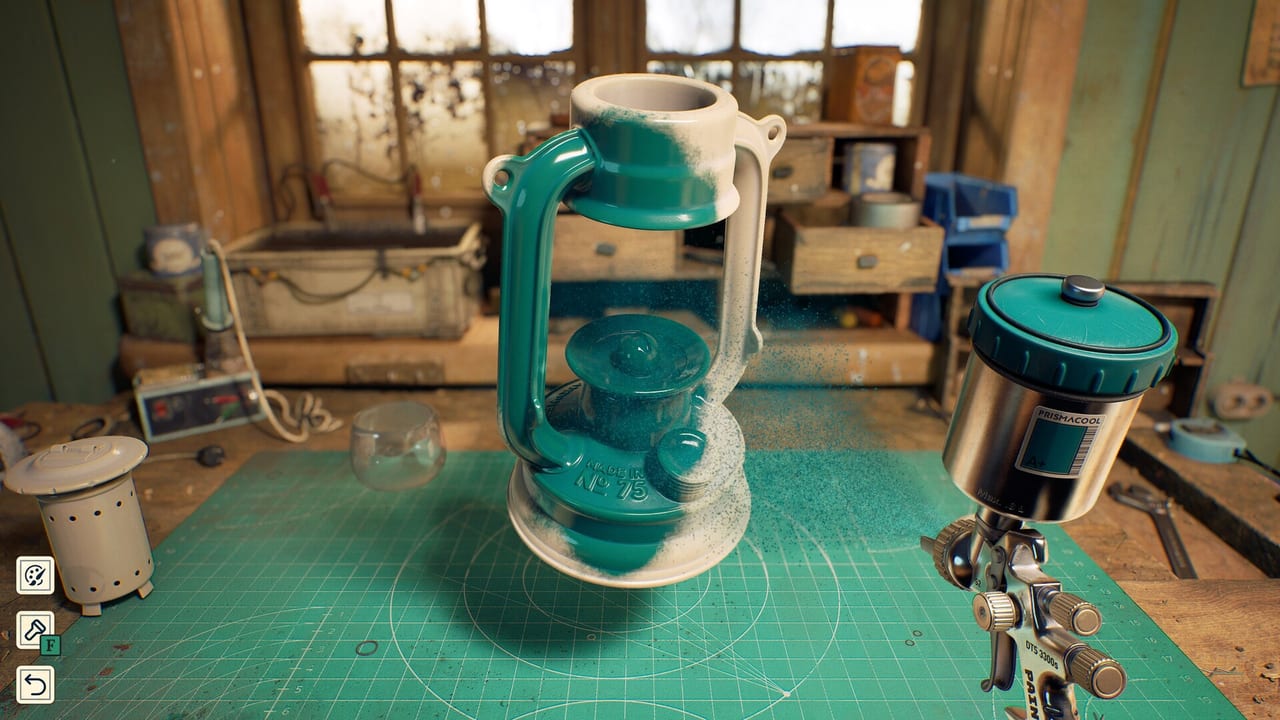
Reshine welcomes you into a quiet attic and asks for patience, not speedruns. This getting-started guide covers what the game is, how to install the free demo, what to expect in your first restoration, and how to line up controls, specs, and launch facts before November 26, 2026.
What you are signing up for
Reshine is a single-player cozy restoration sim from Quite OK Games. You take vintage objects apart, clean each component, choose paint colors, and reassemble them. Official messaging is consistent: no shop management, no customers, no skill trees, and no countdown clocks. If you enjoy satisfying cleaning loops and soft jazz or rainfall ambience, you are in the right attic.
The free Reshine Demo on Steam (live since October 19, 2026) includes three antiques that differ from the earlier public playtest set: a compass, a coffee grinder, and a gramophone. Complexity rises across the trio, introducing electrolysis, sandblasting, finer polishing, laser cleaning, and UV inspection. The full game expands the antique roster and targets roughly 8–10 hours of restorations.
First-hour checklist
- Wishlist or install from the official Steam page linked in our Links hub.
- Confirm your PC meets the system requirements (Windows 10 64-bit, DirectX 12 GPU, 4 GB RAM minimum).
- Skim Controls so you know how to rotate the object, select parts, and match electrolysis curves.
- Start the compass — it teaches disassembly and basic cleaning before heavier tools appear.
- When fasteners need deep cleaning, follow the electrolysis steps in How to Restore.
- Use the UV light when a stage refuses to complete; leftover grime is often just out of normal view.
- Paint freely — there is no wrong palette. Ideas live on Paint & Customize.
- Reassemble, compare before-and-after, then move to the coffee grinder and gramophone via the Demo Walkthrough.
Mindset tips that actually help
Reshine rewards slow, continuous strokes more than frantic scrubbing. Laser cleaning in particular works best with long, deliberate passes; rushing leaves gaps you must revisit. Electrolysis asks you to align voltage curves with mouse buttons, scroll wheel, or arrow keys — take a breath and match the waveforms instead of clicking randomly. If a part will not detach, rotate the camera (right mouse drag is the common demo binding) until the highlighted fastener faces you.
There is a hint system when you stall. Use it. The fantasy is restoration craft, not puzzle punishment.
Controllers and Steam Deck
Full controller support is built in, and Steam Deck is Verified. If you prefer handheld play, read the Steam Deck page for glyph, performance, and comfort notes. Mouse players generally find scroll-wheel electrolysis matching easier than trackpads; Deck users may prefer the physical buttons for waveform alignment.
Preparing for launch day
Reshine launches November 26, 2026 on Steam, PlayStation 5, Nintendo Switch, and Xbox Series X|S. Base price is $9.99 USD with a planned 20% launch discount. Languages cover English plus a broad localization set. Keep an eye on the Updates hub for patch notes as the demo closes and the full build ships.
Recommended next pages
- Deep tool guide: How to Restore
- Input reference: Controls
- Object-by-object demo help: Demo Walkthrough
- Specs: System Requirements
- Money and platforms: Release Date & Price
Settle in, pour something warm, and let the attic rain set the tempo. Reshine is built for that pace — and this wiki will stay updated as the full antique collection arrives.
Frequently Asked Questions
Quick answers to the most common questions.
Should I play the demo before buying?
Yes. The Steam demo includes three full restorations and represents the tone of the final game: cozy, tool-focused, and free of management systems.
Which demo antique should I restore first?
Start with the compass. It introduces disassembly and cleaning before the coffee grinder and gramophone add heavier tools like laser cleaning.
Can I fail a restoration?
Reshine is designed without punitive failure states. Take your time, use hints and UV inspection if needed, and redo paint choices as often as you like.